A complete example week, with the work made explicit
Imagine a solo agent preparing an open house at 24 Example Lane on Sunday, October 18, 2026. The address, agent, and visitors are fictional. This example demonstrates a repeatable routine, not customer results, measured time savings, or expected lead volume.
The output is one approved invitation, one tested browser sign-in page, and a current list of promised actions. Choose those outputs before deciding how often to post.
Monday: make the plan small enough to finish
Choose the open-house campaign, name the working copy, set the start date, and add the property details. Review the resulting dated tasks. Adjust dates to the actual event; launching a plan creates preparation work, not published posts.
For this example, the tasks are: verify property facts, prepare an invitation, publish it, test sign-in, host the event, and send requested information. Add one useful answer to a likely visitor question only if its facts are verified. Do not add five channels simply because they are available.
Tuesday: prepare the invitation and caption
Use the editable SVG invitation, replacing every placeholder with your approved property details, actual hours, photo, agent contact, and required brokerage identification. The download is a separate design file, not a Canva integration or publishing service.
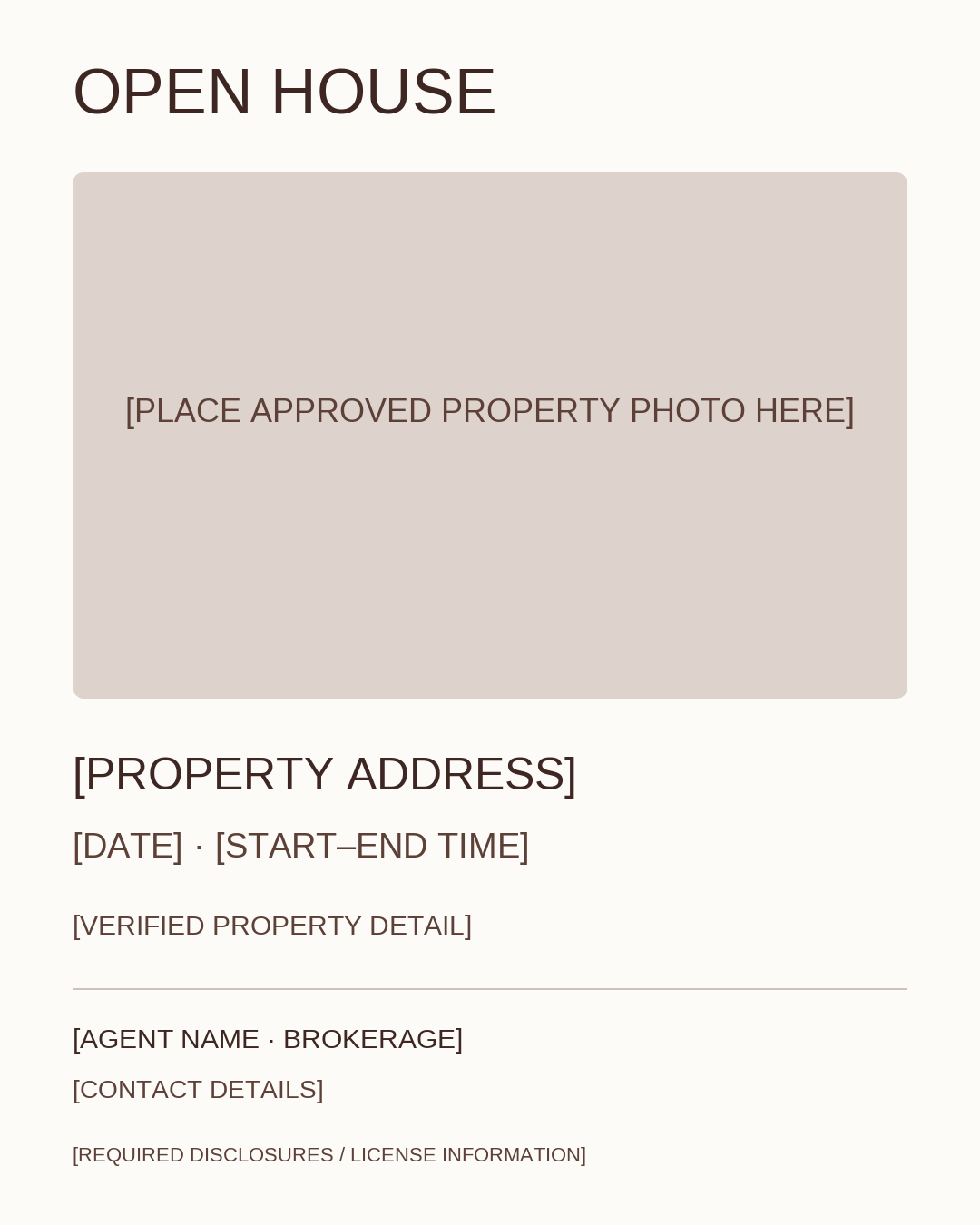
Read the caption examples CSV. For the fictional example, a draft is: “Open house at 24 Example Lane, Sunday October 18, 1–3 pm. Visit to explore the property and ask questions. [Agent and brokerage]. [Required disclosures].” This is an illustrative draft. Replace the fictional address and all placeholders before use; do not invent features to improve the wording.
If you choose a Canva template instead, use your separate Canva account and check asset requirements. Some assets can require Canva Pro or a separate license. REMC Free provides eligible assets from the Open House campaign and your one claimed social calendar month. Premium provides the full published library and ongoing monthly calendars.
Wednesday: publish and check the destination
Publish through your own chosen channel, then open the published link from a phone. Verify the property, hours, contact details, and next step. A calendar entry or completed task does not publish the post for you.
If the event is cancelled or details change, update the published information through the same channel. Keep a note of where the invitation is live so you can find it again.
Thursday and Friday: test sign-in and prepare the event
Use the printable checklist. Scan the event QR code on mobile data, confirm the intended browser form opens, and submit clearly labeled test details. Check the resulting record in the workspace and keep test information separate from genuine visitors.
The current sign-in form requires name, email, phone, and consent; it asks about visit purpose, timeline, and buying process, with optional notes. Visitors need an internet connection, but no app installation or REMC account. Submission does not verify their contact details. Review the explanation of information use and prepare an alternative for visitors who prefer not to use their phone.
On Friday, verify access information and publish an appropriate reminder yourself. Print and test the QR sign. Keep unanswered property questions on a list for checking rather than guessing an answer. The complete event checklist explains each stage.
Sunday and Monday: complete the promise, then record it
In the fictional example, Morgan asks for the floor plan by email and agrees to Monday delivery. Record the factual request and set “Check and send approved floor plan” for Monday, October 19.
Verify the file, send it through your own email tool, then record completion. Saving a follow-up in REMC is recordkeeping; it does not send an email or text. Do not treat attendance as permission for unrelated marketing. The follow-up guide provides message examples and next-action decisions.
Review the week using outputs, not assumed results
Check whether the invitation was accurate, the form was tested, and each promised action was completed. Record any unanswered question and one change for next time. No visitor count, conversion rate, or time saving is claimed by this fictional exercise.
Variant two: a week with very little capacity
Choose two public outputs and protect the promises already made to individual people. In this example there is no event to prepare, and the agent has capacity for one short preparation session plus a review later in the week. This is a planning example, not a measured time-saving claim.
On Monday, prepare one buyer question card: “Before a viewing, confirm the meeting point, hours and contact number. Keep a note of the questions you want answered.” Use a plain text card or an image you already have permission to use. Replace generic instructions with the actual process in your market; do not add a property address just to make it look more specific.
On Thursday, publish one seller preparation checklist: choose three tasks a seller can actually complete before photography, such as clearing a visible worktop, checking lights and agreeing the photo plan with their agent. Use a demonstration image or a text checklist if you have no approved client photos.
Keep the action list short: prepare the first draft, verify the facts, publish it yourself, then check the destination. Review private requests separately. If someone is waiting for an approved document, complete that agreed action before adding a third public post. A skipped optional post is a reason to adjust the plan, not to mark an unfinished task complete.
The two-post calendar contains eight worked slots across four weeks. Each has a caption, preparation prompt and listing-free alternative. Print it, assign realistic dates and cross out slots you cannot prepare responsibly.
Variant three: a week without a listing or open house
A listing is not required to explain your work. Choose useful material you can substantiate: a viewing-preparation question, an official local resource and a seller preparation task. Do not repackage an old invitation as an event that is still happening.
On Monday, answer “What should I confirm before leaving for a viewing?” Explain the appointment time, meeting place, access arrangements and contact details. Use an illustrative checklist rather than a client property photo.
On Wednesday, share one official local resource. For example, link to the relevant public transport operator’s route-planning page and explain where to check current service information. Verify the link and wording before publishing. Avoid promising a commute or suggesting which types of people belong in a neighborhood.
On Thursday, show a small preparation task using your own demonstration space. Explain what you checked and what the completed task looks like. Label staged or fictional examples clearly. You can teach a process without claiming a customer result.
Keep the next week’s plan equally specific: one topic to check, one resource to prepare, one post to publish. Use the three-post calendar for twelve slots, or the five-post calendar for twenty when you can prepare more. More slots are an option, not a recommendation to fill every channel.
Before and after: customize the facts, not just the colors
An unedited draft might say: “Dream home! Join us this weekend for the best opportunity in town. Scan to get everything automatically.” It has no usable date or address, an unsupported claim and a promise the workflow does not support.
For a clearly fictional example, change it to: “Open house at 24 Example Lane, Sunday October 18, 2026, 1–3 pm. Ask [agent name] about [verified feature]. [Confirmed access details]. [Agent and brokerage identification].” Replace the fictional address and every bracketed field before actual publication. Confirm local display requirements and photo permissions.
Then make the follow-up statement accurate: “Scan the event QR code to open the visitor form in your browser. Read how your information will be used before submitting. Tell the agent which information you would like to receive.” The agent reviews the record, confirms the requested next action and sends the message manually. A QR scan does not verify identity, and saving a task does not deliver a document.
With no event, replace the entire invitation with: “Before your next viewing, confirm the appointment, meeting place and access instructions with your agent. Save your questions so you can check them during the visit. [Agent and brokerage].” There is no invented property, availability or outcome in that version.
Use the blank visitor-request worksheet to distinguish “requested,” “due” and “completed.” Leave the next action blank when none was agreed. The worksheet contains no personal data and is separate from the browser sign-in form.
Choose the tools after choosing the work
Read the complete four-week public calendar. Use the solo-agent software selection guide to decide whether your current tools already support the work, and the design, planning, and CRM guide to avoid overlapping responsibilities.
Product scope and editorial disclosure
Free includes the Open House campaign, one open house, up to 15 active leads, and one generated social calendar month. That month does not refresh each month. Eligible Canva assets come from the free campaign and your claimed calendar. Premium adds the other campaigns, unlimited open houses and active leads, ongoing monthly calendars, custom lead forms, lead import/export, and the full published template library. You publish posts and send outreach yourself. Check the current plans.
Written and reviewed by RE Marketing Club, the provider of REMC. Updated October 15, 2026 with three practical weekly variants, a before-and-after customization example, and direct downloadable materials. The example explains the workflow and does not describe customer results. About the publisher.